Specify CE settings
The next step is to specify the settings in which the CE model is constructed.
One of CEBulk or CECrystal classes is used to specify the
settings. CEBulk class is used when the crystal structure is one of
“sc”, “fcc”, “bcc”, “hcp”, “diamond”, “zincblende”, “rocksalt”,
“cesiumchloride”, “fluorite” or “wurtzite”.
Here is how to specify the settings for performing CE on AuxCu1-x for all \(0 \leq x \leq 1\) on FCC lattice with a lattice constant of 3.8 Å
>>> from clease.settings import CEBulk
>>> settings = CEBulk(crystalstructure='fcc',
...                   a=3.8,
...                   supercell_factor=64,
...                   concentration=conc,
...                   db_name="aucu.db",
...                   max_cluster_dia=[6.0, 4.5, 4.5])
CEBulk internally calls ase.build.bulk() function to generate a
unit cell. Arguments crystalstructure, a, c, covera, u,
orthorhombic and cubic are passed to ase.build.bulk() function to
generate a unit cell from which the supercells are generated. In case where one
prefers to perform CE on a single, fixed size supercell, size parameter can
be set by passing a list of three integer values (e.g., [3, 3, 3] for a
\(3 \times 3 \times 3\) supercell). More generally, a supercell_factor
argument is specified to set a threshold on the maximum size of the supercell.
The maximum size of clusters (i.e., number of atoms in a given cluster) and
their maximum diameters are specified using max_cluster_dia.
As empty and one-body clusters do not need
diamters in specifying the clusters, maximum diameters of clusters starting
from two-body clusters are specified in max_cluster_dia in ascending order.
Note
Several entries are generated in the database file with their names assigned as “templates”. These templates are used to generate new structures and also to calculate their correlation functions.
There are several flavors of cluter expansion formalism in specifying the basis
function for setting the site variable. Three types of basis functions are
currently supported in ASE. The type of basis function can be selected by
passing one of “polynomial”, “trigonometric” and “binary_linear” to
basis_function argument. More information on each basis function can be
found in the following articles.
“polynomial”:
Sanchez, J. M., Ducastelle, F. and Gratias, D. (1984)Physica A: Statistical Mechanics and Its Applications, 128(1-2), 334-350.
“trigonometric”:
van de Walle, A. (2009)Calphad, 33(2), 266-278.
“binary_linear”:
Zhang, X. and Sluiter M. (2016)Journal of Phase Equilibria and Diffusion 37(1), 44-52.
One can alternatively use CECrystal class to specify the unit cell of
the system. CECrystal takes a more general approach where the unit
cell is specified based on its space group and the positions of unique sites.
Verify your structures
After you created your templates, it may be a good idea to inspect the possible template structures and clusters, to verify that it looks like you would expect.
The template refers to all possible supercells that can be generated from your settings class,
and clusters are the basic clusters found by CLEASE. Templates can be visualized with the
view_templates(), and the clusters with
view_clusters() of your ClusterExpansionSettings instance.
>>> settings.view_clusters()
This will open a new instance of the ASE GUI, which should look something like this, which is an example of a 4-body cluster:
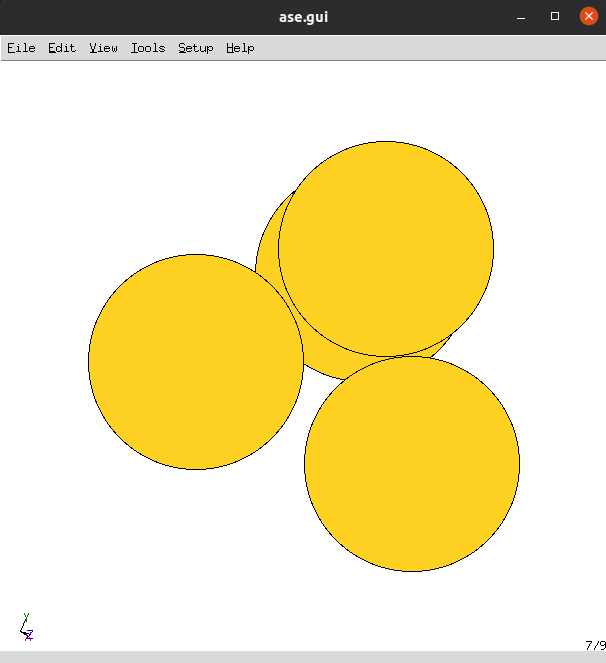
And similarly, view_templates() will open the templates in
the ASE GUI as well.